Posts

Showing posts with the label Proxy

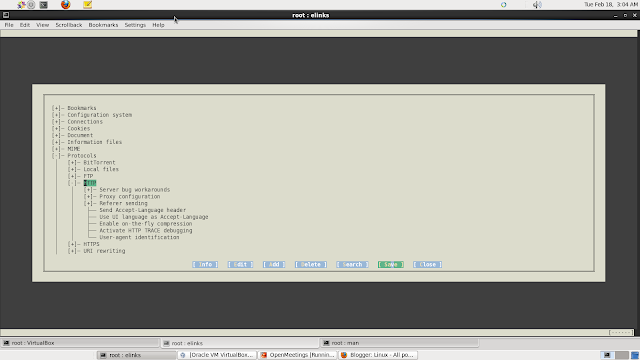
How to access internet through proxy on elinks
Image
Elinks Proxy setting To use proxy for elinks create the following file for a user: vi $HOME/.elinks/elinks.conf set protocol.http.proxy.host = "proxy.host:3128" set protocol.https.proxy.host = "proxy.host:3128" set protocol.http.proxy.user = "user" set protocol.http.proxy.passwd = "pass" Same configuration we can use in /etc/elinks.conf file for system wide configuration. Or we can run elinks command to configure elinks in terminal window.

How to access internet from shell prompt in linux

Sometimes we need to access internet from the bash shell through proxy server such as Squid so this post is to explain how we can achieve this. Run below commands in shell to use proxy for http,https and ftp traffic. export http_proxy=http://192.168.1.1:3128 export https_proxy=http://192.168.1.1:3128 export ftp_proxy=http://192.168.1.1:3128 Now we can access internet from the shell prompt. For a particular user put this variables in /home/username/.bash_profile file. To setup the proxy environment variable as a global variable put this variables in /etc/profile file. For Yum we can set proxy setting in /etc/yum.conf file such as. proxy=http://192.168.1.1:3128 For RHN registration through proxy we need to configure /etc/sysconfig/rhn/up2date file with settings. enableProxy=1 httpProxy=192.168.1.9:3128